 Barcode Next
Data Matrix barcode
Create compact Data Matrix symbols for product marking, manufacturing and general-purpose 2D workflows with size and export controls.
Compact product marking, parts and industrial identifiers
What is Data Matrix?
Data Matrix is a compact two-dimensional barcode that stores data in a grid of light and dark modules. It is widely used where a small physical footprint and robust decoding are important, including manufacturing, electronics, medical-device and product-marking workflows.
The commonly used ECC 200 form includes error correction and uses a distinctive finder pattern along two adjacent sides. Unlike QR Code, the commonly used ECC 200 form is recognized by a solid L-shaped finder border, an important distinction when preparing very small marks.
Data requirements
Data Matrix ECC 200 accepts text and binary content. Symbol capacity depends on the data encoding and selected module grid. The selected character encoding and payload size determine the number of required data codewords. Error correction takes additional space, so a valid text string may still be too long for a manually constrained matrix size.
Structure and sizing
Its solid L-shaped finder border and alternating timing edges define orientation. ECC 200 offers multiple symbol sizes; the final dimensions depend on module size and the selected grid. The solid L border and alternating timing edges establish orientation. Larger symbols can have several data regions; final width and height depend on module count and X-dimension. The surrounding clear area must remain free of nearby print or engraving features.
Technical specifications
- Symbol type
- 2D matrix, commonly ECC 200
- Data
- Variable-length characters and binary content
- Finder pattern
- Solid L-shaped border plus timing edges
- Size
- Multiple square and rectangular sizes
- Quiet zone*
- 1X on all sides
- Standard
- ISO/IEC 16022
- Example payload
- PART-AX42
* Quiet zone values are minimum clearances, not fixed margins. Larger clear areas are allowed; the application may require additional space.
Data Matrix in Barcode Next
Compact marking without losing structure
Data Matrix uses a distinctive solid L-shaped finder pattern and alternating timing borders. This makes its geometry different from a QR Code even though both contain a square grid of modules.
ECC 200 includes error correction. The symbol size depends on payload and the selected encoding; a longer value can require a larger grid.
Direct part marking, laser marking and very small labels add material, optical and marking constraints beyond basic encoded-data validity.

Batch generation
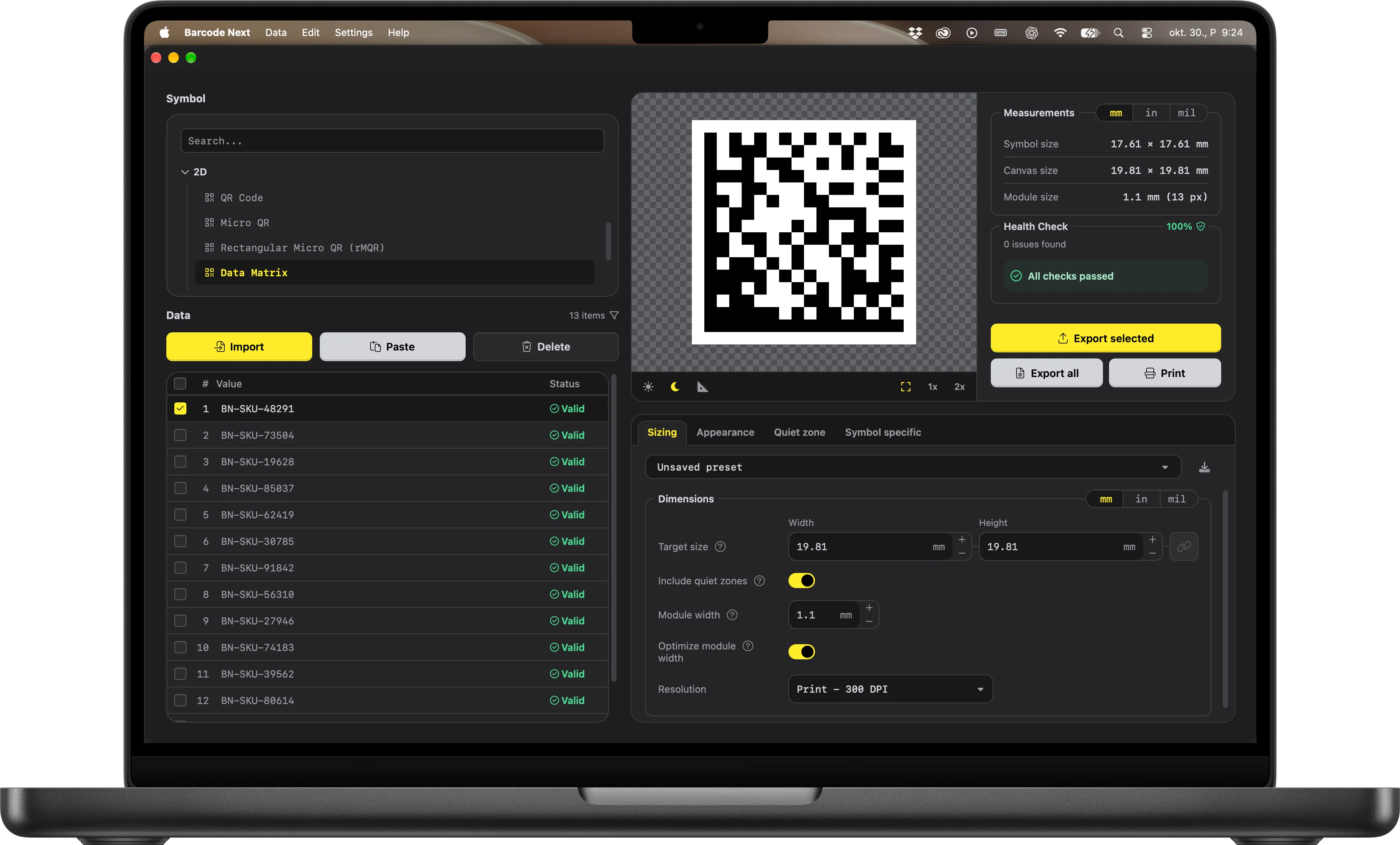
Import CSV or XLSX data, validate individual records and generate multiple barcodes in one workflow.

Vector and raster export
Export scalable SVG, PDF or EPS files and high-resolution PNG, JPEG or TIFF images for production.

Label printing
Arrange barcodes on label sheets using presets or custom paper sizes, margins and grid layouts.
Available options depend on the selected symbology. The screenshot illustrates shared application controls, not a verified scan result for Data Matrix.
Common issues and print considerations
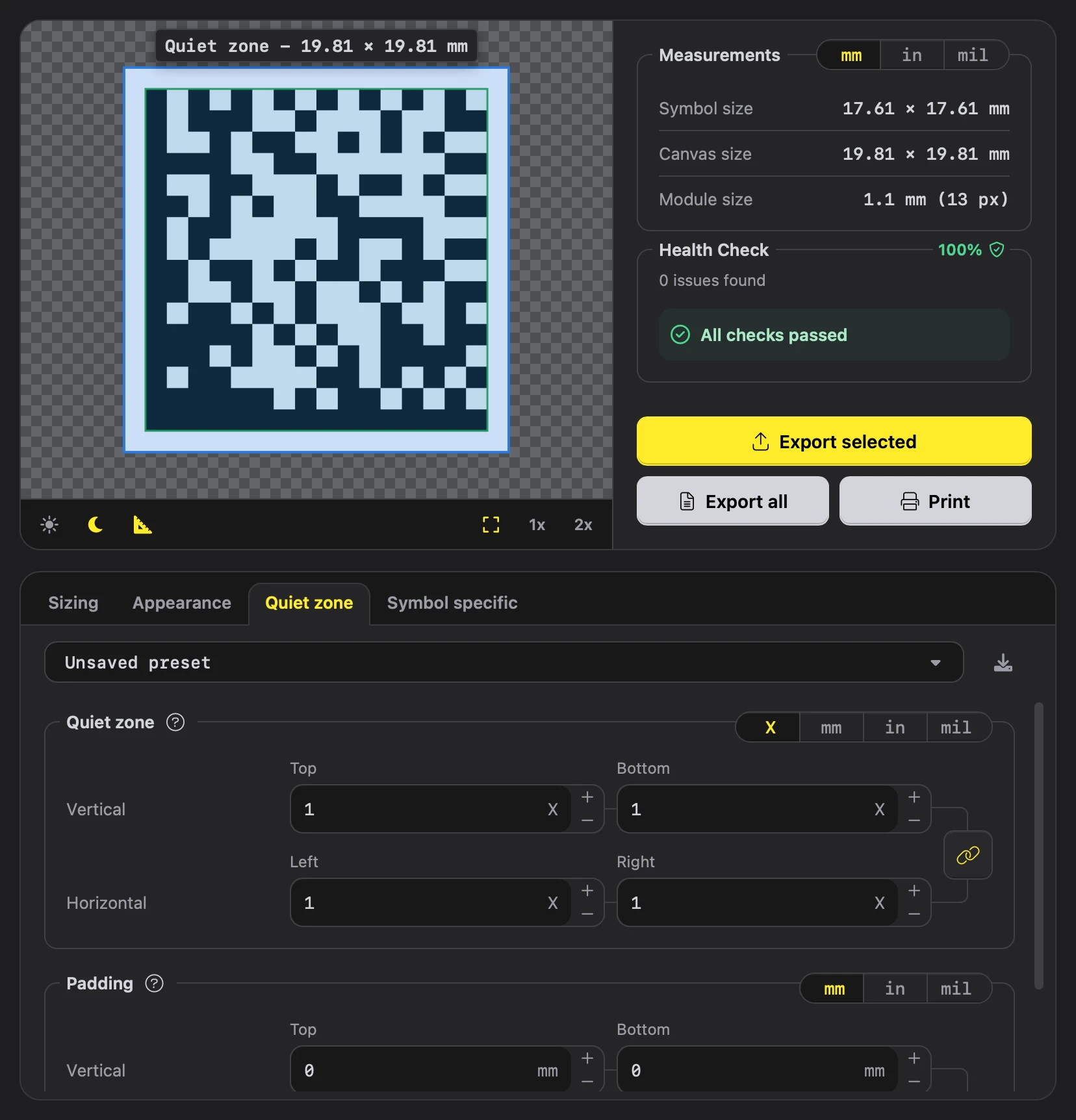
Removing the quiet zone
The standard Data Matrix symbol needs a clear border, even when the grid appears compact.
Assuming Data Matrix is automatically GS1 DataMatrix
Ordinary Data Matrix data and GS1 Application Identifier data are different formats; use a GS1-specific carrier when requested.
Technical basis: ISO/IEC 16022 (Data Matrix). Application and print specifications can impose additional requirements.
Data Matrix questions
What is ECC 200 in Data Matrix?
ECC 200 is the commonly used Data Matrix family with error-correction capability.
How much quiet zone does Data Matrix need?
A minimum clear margin of one module (1X) on each side for standard symbol structures.
Create Data Matrix with Barcode Next
Work with format-specific data rules, precise dimensions, validation and clear previews in a professional barcode editor for Mac and Windows.
Explore all features or compare the Mac and Windows editions.
Get started with Barcode Next
Download for free
Explore barcode formats, customize QR codes, prepare batches and preview label layouts.
Download