 Barcode Next
BARCODE NEXT
Professional barcode generator software for print, packaging and production.
Create, customize, validate, batch-generate and print major 1D and 2D barcodes on macOS and Windows — with production-ready vector and raster output.
Lifetime licence · No subscription · macOS + Windows
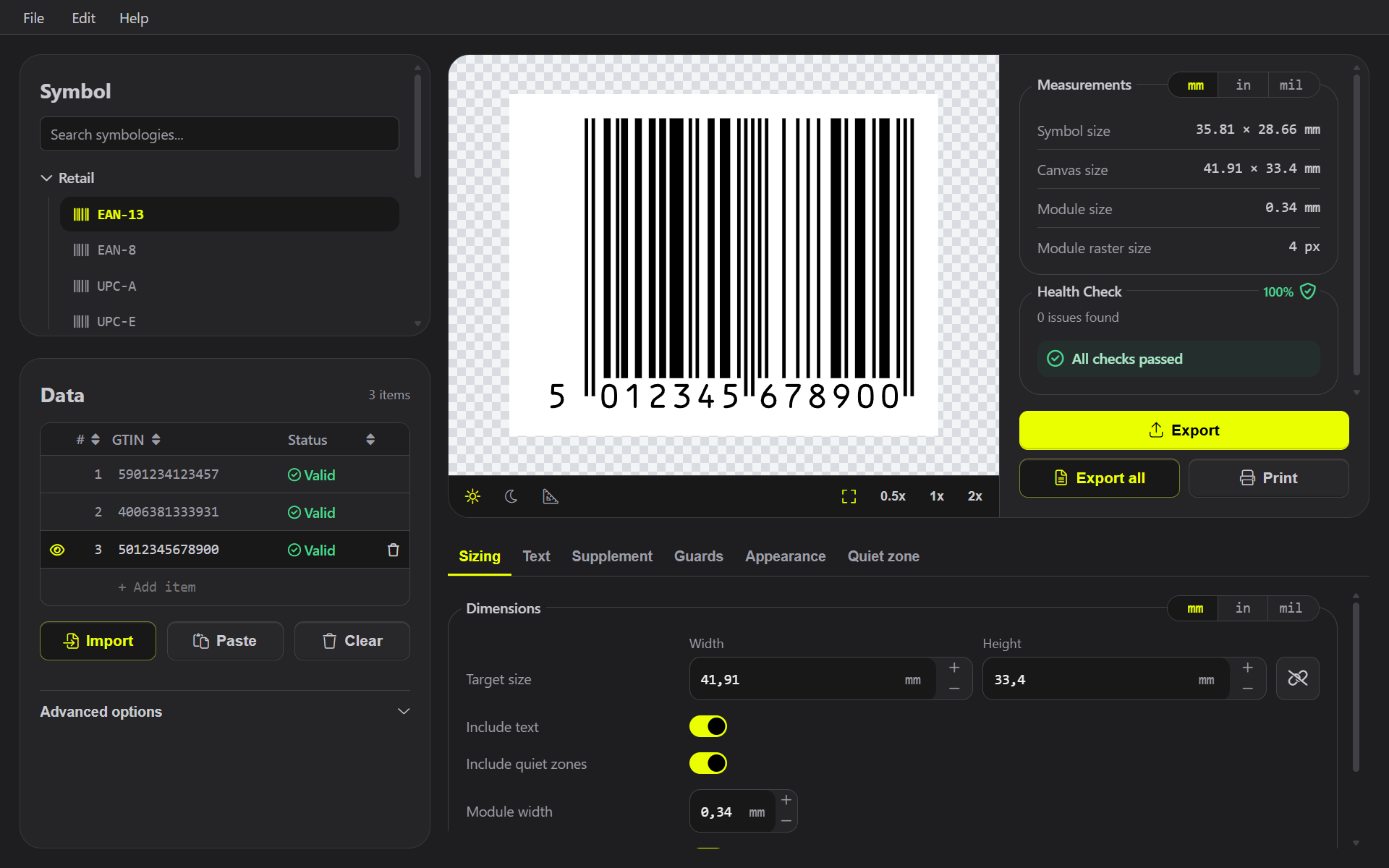
1D + 2D
The barcode formats professional workflows actually need.
Move between product codes, packaging, logistics labels and QR workflows without changing tools.
- Retail codes including EAN and UPC
- General-purpose linear barcodes
- GS1-compatible formats
- QR, Data Matrix, Aztec and PDF417
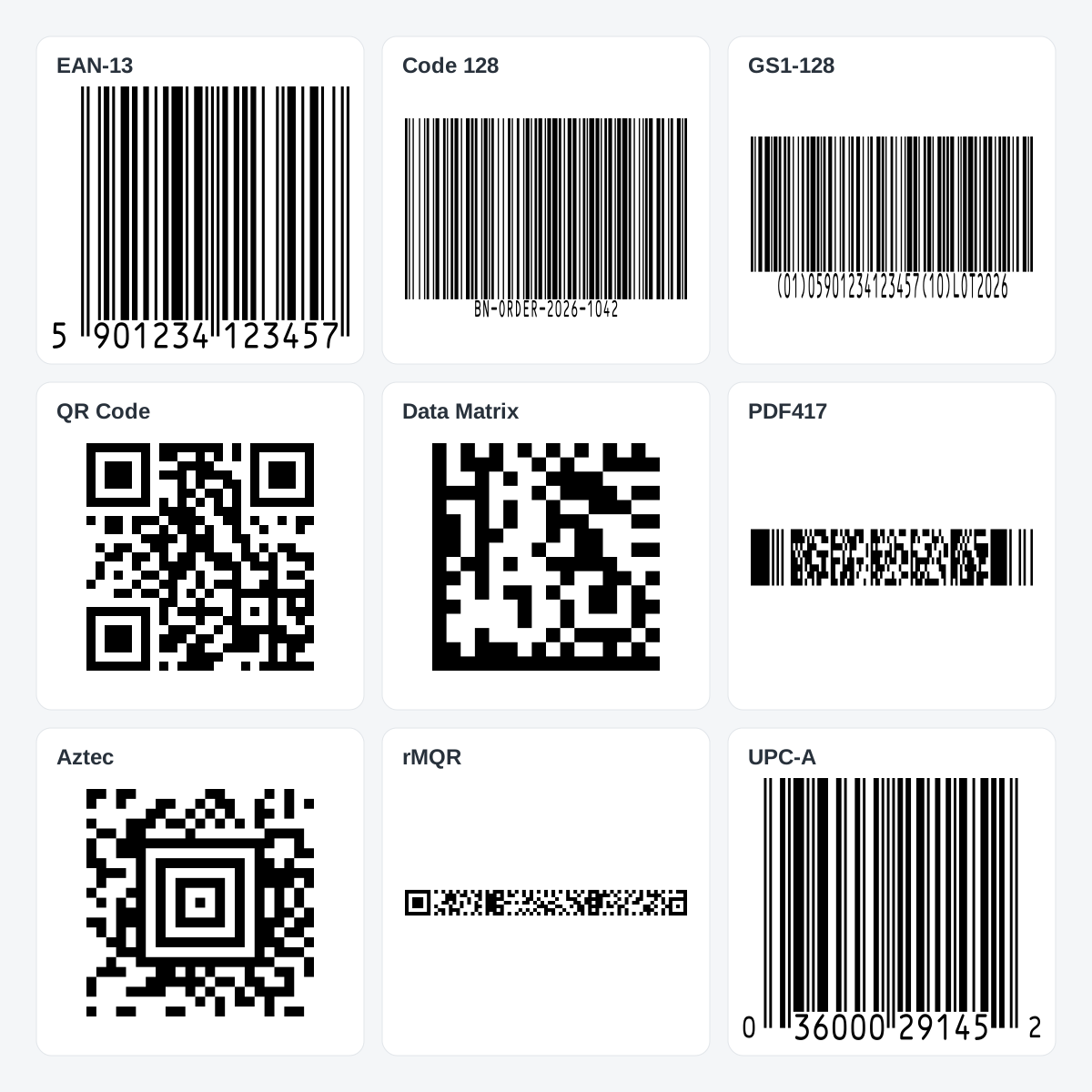
PRECISION
Control the details that matter in production.
Set dimensions, quiet zones, human-readable text, padding, colors, rotation and symbology-specific options with the precision expected from professional barcode software.
- Exact size and unit control
- Quiet-zone handling
- Barcode-specific validation
- Foreground and background control
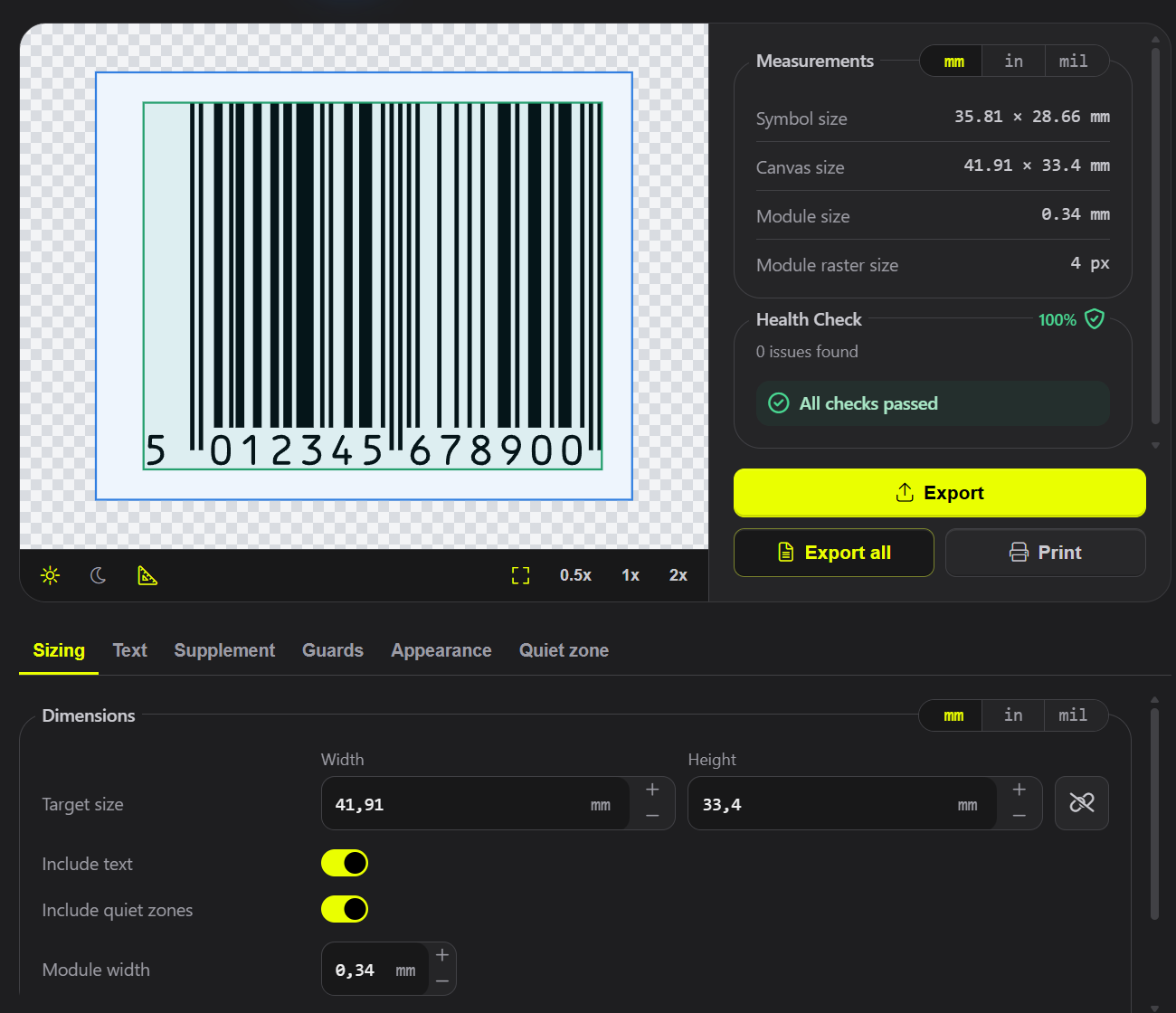
CUSTOMIZATION
Barcodes can be precise without all looking the same.
Customize supported QR and barcode styles while keeping underlying structure and production requirements visible and under direct control.
- QR module shapes
- Finder styling
- Color controls
- Logo placement

OUTPUT
Export for print, packaging, design and digital use.
Choose vector or raster output, work in RGB or CMYK, and create files ready to place into design layouts, packaging artwork, documents or production workflows.
- SVG, PDF and EPS
- PNG, JPEG and TIFF
- Size and resolution control
BATCH
Turn structured data into hundreds of production-ready barcodes.
Import or enter multiple records, preview values, validate the data and export complete barcode sets without generating each symbol manually.
- CSV-oriented workflows
- Per-record preview
- Batch validation
- Automatic file naming
LABEL PRINTING
Move from barcode records to printable label sheets.
Place single or batch-generated codes on label sheets with presets or custom page geometry.
- Label sheet presets
- Custom layouts
- Multiple records
- QR Code labels
FAQ
Common questions
Can I export vector and CMYK files?
Barcode Next supports SVG, PDF and EPS vector output, common raster formats, and RGB and CMYK-oriented workflows.
Can I generate many barcodes at once?
Yes. Use the batch workflow for multiple records with shared settings and validation.
Can I print barcode label sheets?
Yes. Barcode Next includes a label-sheet workflow with presets and custom layouts.
LIFETIME LICENCE
Professional barcode generation without another subscription.
Buy Barcode Next once for your platform and keep using it without a monthly or annual Barcode Next subscription.
One-time purchase · separate Mac App Store and Microsoft Store licences.