 Barcode Next
GS1 QR Code
Create GS1 QR Code symbols from structured Application Identifier data with validation, batch workflows and file export.
GS1 data requiring QR Code geometry
What is GS1 QR Code?
GS1 QR Code combines the familiar QR Code symbol with GS1's structured data system. Instead of treating the payload as arbitrary text, the encoded content represents GS1 Application Identifier data.
It is useful in workflows that need QR geometry while retaining machine-readable GS1 semantics. Its distinguishing feature is the structured element-string payload, rather than any visual difference from a normal QR Code. That distinction is important for downstream GS1 parsing.
Data requirements
GS1 QR Code carries GS1 Application Identifier element strings with the required FNC1 mode. Fixed- and variable-length fields must follow the relevant AI and separator rules. Application Identifiers prescribe field formats, including fixed and variable-length data. FNC1 mode and any required separators must be correctly encoded; human-readable parentheses in a printed example do not form part of the actual GS1 data.
Structure and sizing
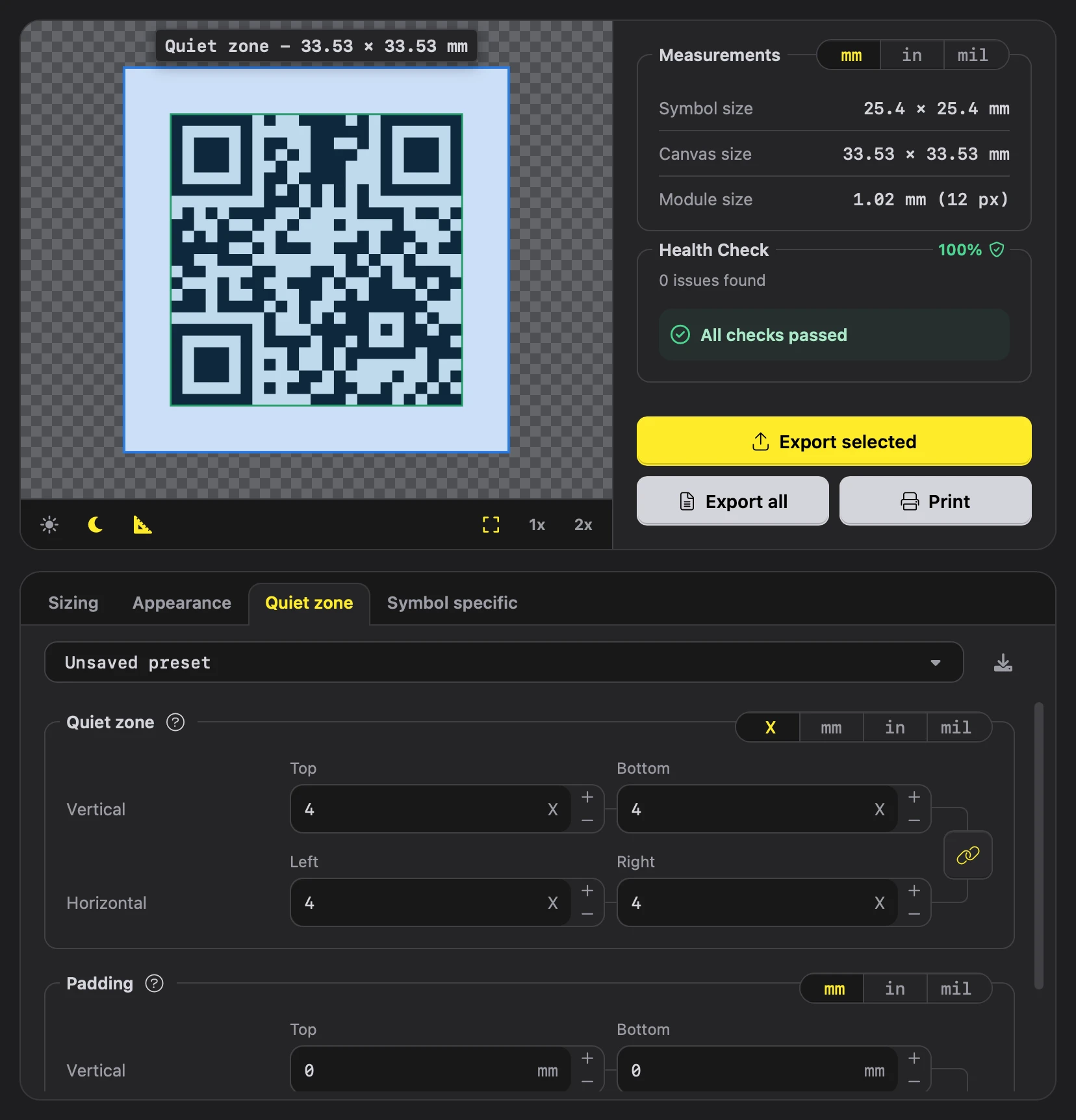
The symbol retains standard QR Code geometry, including three corner finders and a surrounding quiet zone, while using GS1-specific data syntax. It uses standard QR Code finder and timing patterns, with a version-dependent square grid. The GS1 data rules do not eliminate the usual four-module quiet zone or the need to select a practical printed module size.
Technical specifications
- Carrier
- QR Code with GS1 FNC1 signalling
- Payload
- GS1 Application Identifier element strings
- Finder
- Three QR Code finder patterns
- Quiet zone*
- 4X on all sides
- Data structure
- GS1 AI lengths and separators
- Standard
- GS1 General Specifications
- Human-readable GS1 example
- (01)09506000134352(10)BATCH7
* Quiet zone values are minimum clearances, not fixed margins. Larger clear areas are allowed; the application may require additional space.
GS1 QR Code in Barcode Next
QR geometry with standardized GS1 data
GS1 QR Code uses the familiar three-finder QR geometry but encodes data according to GS1 element-string rules and the required FNC1 convention.
Plain QR Codes containing a URL and GS1 QR Codes containing GS1 AI data serve different purposes; applications and trading partners define which carrier is appropriate.
The four-module quiet zone and suitable module contrast remain important even when a symbol includes only a small amount of data.

Batch generation
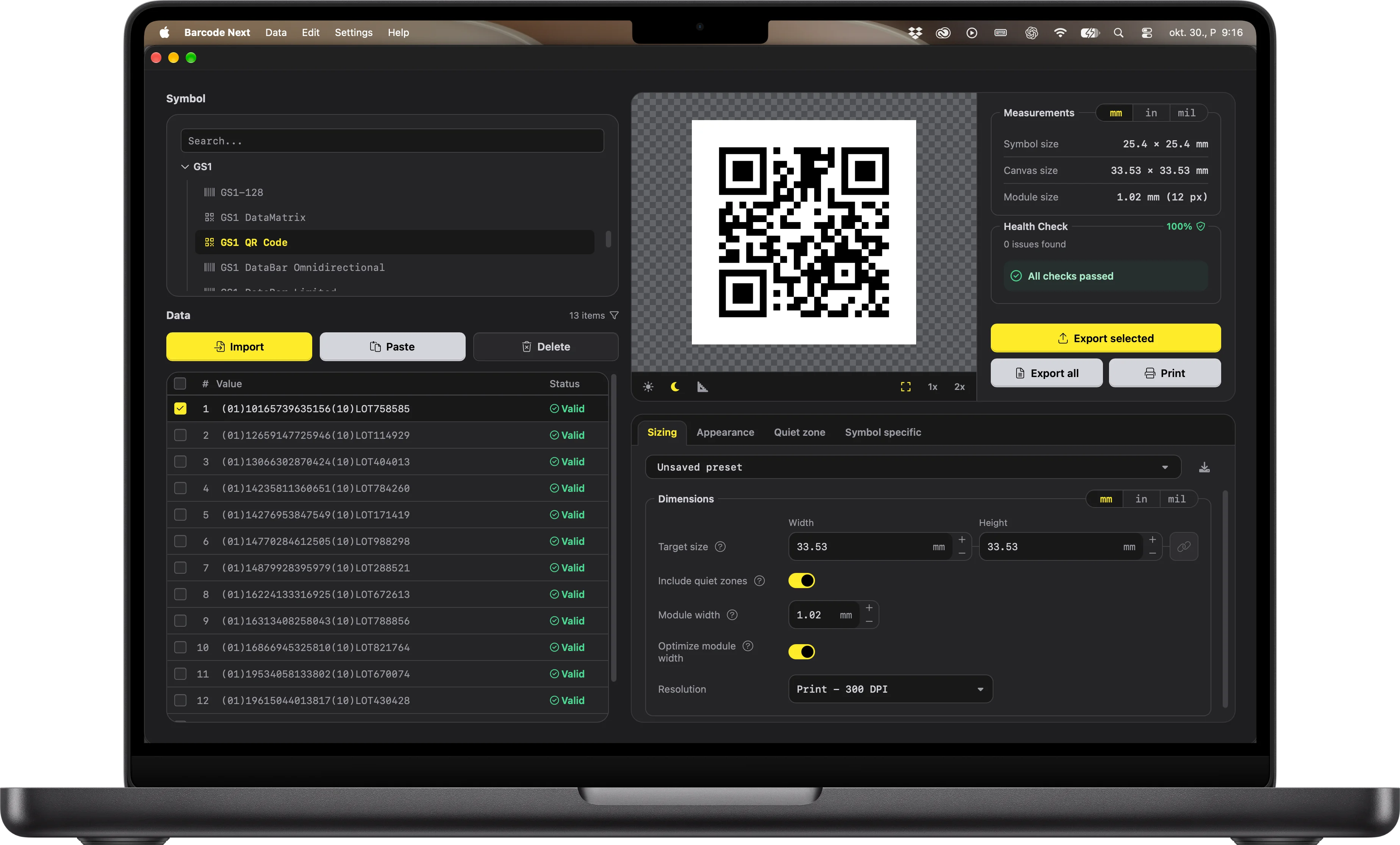
Import CSV or XLSX data, validate individual records and generate multiple barcodes in one workflow.

Vector and raster export
Export scalable SVG, PDF or EPS files and high-resolution PNG, JPEG or TIFF images for production.

Label printing
Arrange barcodes on label sheets using presets or custom paper sizes, margins and grid layouts.
Available options depend on the selected symbology. The screenshot illustrates shared application controls, not a verified scan result for GS1 QR Code.
Common issues and print considerations
Encoding a GS1 example as ordinary text
Literal parentheses in a plain QR Code do not create the proper GS1 symbol semantics.
Confusing a GS1 QR with a GS1 Digital Link QR
GS1 AI element strings and web-address-based GS1 Digital Link are different data representations; the required syntax depends on the application.
Technical basis: GS1 General Specifications, release 26.0 (2026). Application and print specifications can impose additional requirements.
GS1 QR Code questions
Is GS1 QR Code identical to a normal QR Code?
The underlying geometry is similar, but GS1 QR Code uses GS1 AI structure and FNC1 signalling.
Is a GS1 Digital Link URL the same as GS1 AI element strings?
No. Digital Link represents GS1 identifiers in URI syntax and has different encoding and application rules.
Create GS1 QR Code with Barcode Next
Work with format-specific data rules, precise dimensions, validation and clear previews in a professional barcode editor for Mac and Windows.
Explore all features or compare the Mac and Windows editions.
Get started with Barcode Next
Download for free
Explore barcode formats, customize QR codes, prepare batches and preview label layouts.
Download