 Barcode Next
EAN-8 barcode
Generate compact EAN-8 retail barcodes with validation, precise sizing, batch generation and print-ready vector or raster export.
Trade items where a full EAN-13 symbol is impractical
What is EAN-8?
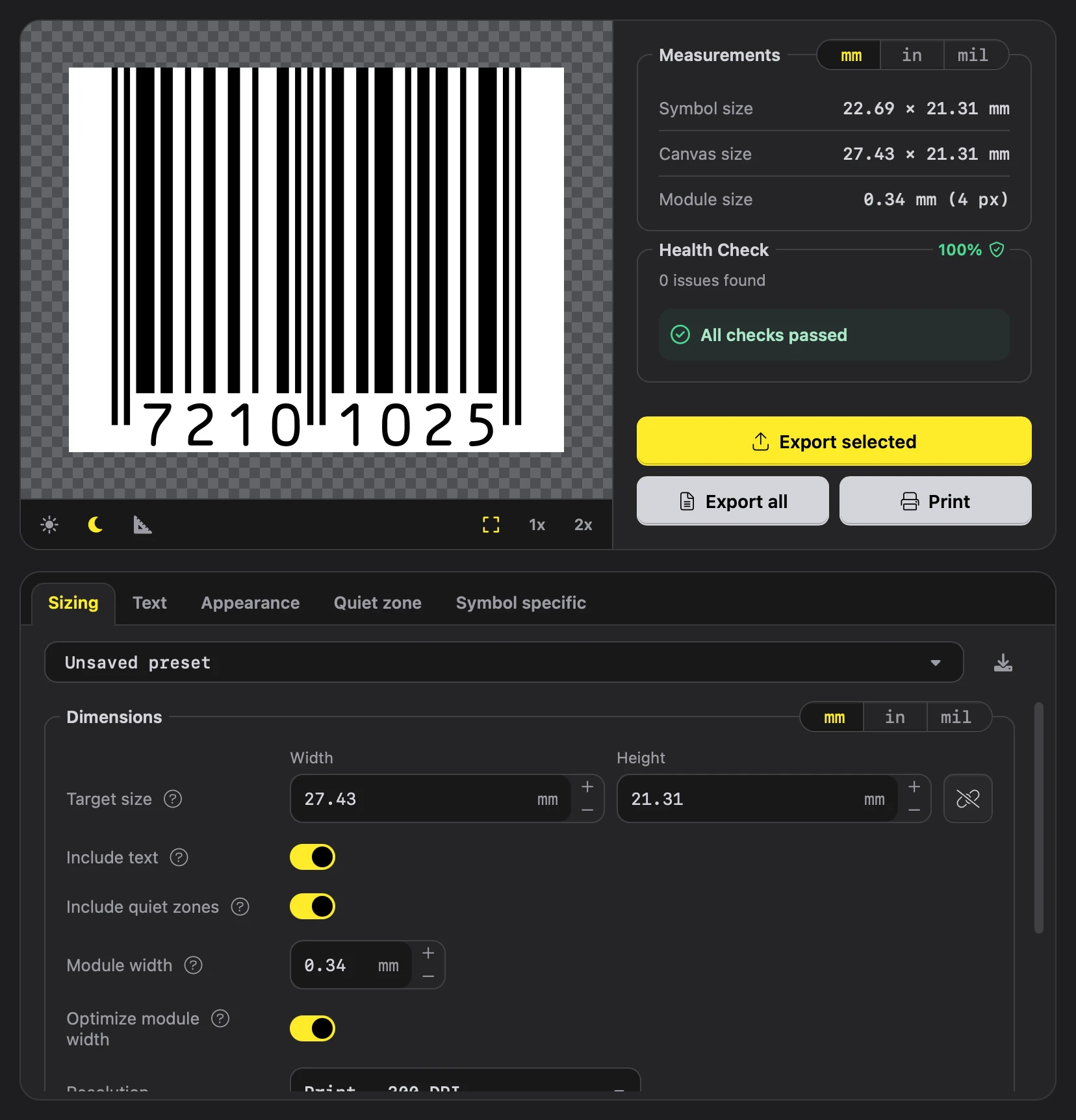
EAN-8 is a compact retail barcode designed for products where the larger EAN-13 symbol would be difficult to fit. It encodes an 8-digit GTIN and uses a shorter fixed structure while retaining the familiar EAN guard patterns and human-readable text.
Because EAN-8 identifiers are assigned differently from EAN-13 values, it should not be treated as a simple shortened EAN-13 number. Its smaller encoded width does not mean it can be reduced without limit: the printed dimensions must still suit the relevant retail scanning specification.
Data requirements
EAN-8 encodes a GTIN-8: seven numeric identifier digits plus a mandatory Modulo 10 check digit. It is not a truncated GTIN-13. The checksum is based on the preceding seven digits and verifies numerical consistency only. A GTIN-8 is allocated separately under GS1 rules and cannot be obtained simply by dropping digits from an existing GTIN-13.
Structure and sizing
Its 67-module pattern includes left, center and right guards. Quiet zones are required on both sides, with four human-readable digits on each side of the central guard. Four digits are represented in each half of the symbol. The shorter bar pattern is useful on small packages, but adequate module width, bar height and clear space around the bars remain essential.
Technical specifications
- Data
- 7 identification digits plus 1 check digit
- Symbol width
- 67 modules, excluding quiet zones
- Check digit
- Mandatory, GS1 Modulo 10
- Quiet zones*
- 7X on each side
- Human-readable text
- Four digits on either side of centre
- Standard
- ISO/IEC 15420 and GS1 rules
- Example GTIN-8
- 96385074
* Quiet zone values are minimum clearances, not fixed margins. Larger clear areas are allowed; the application may require additional space.
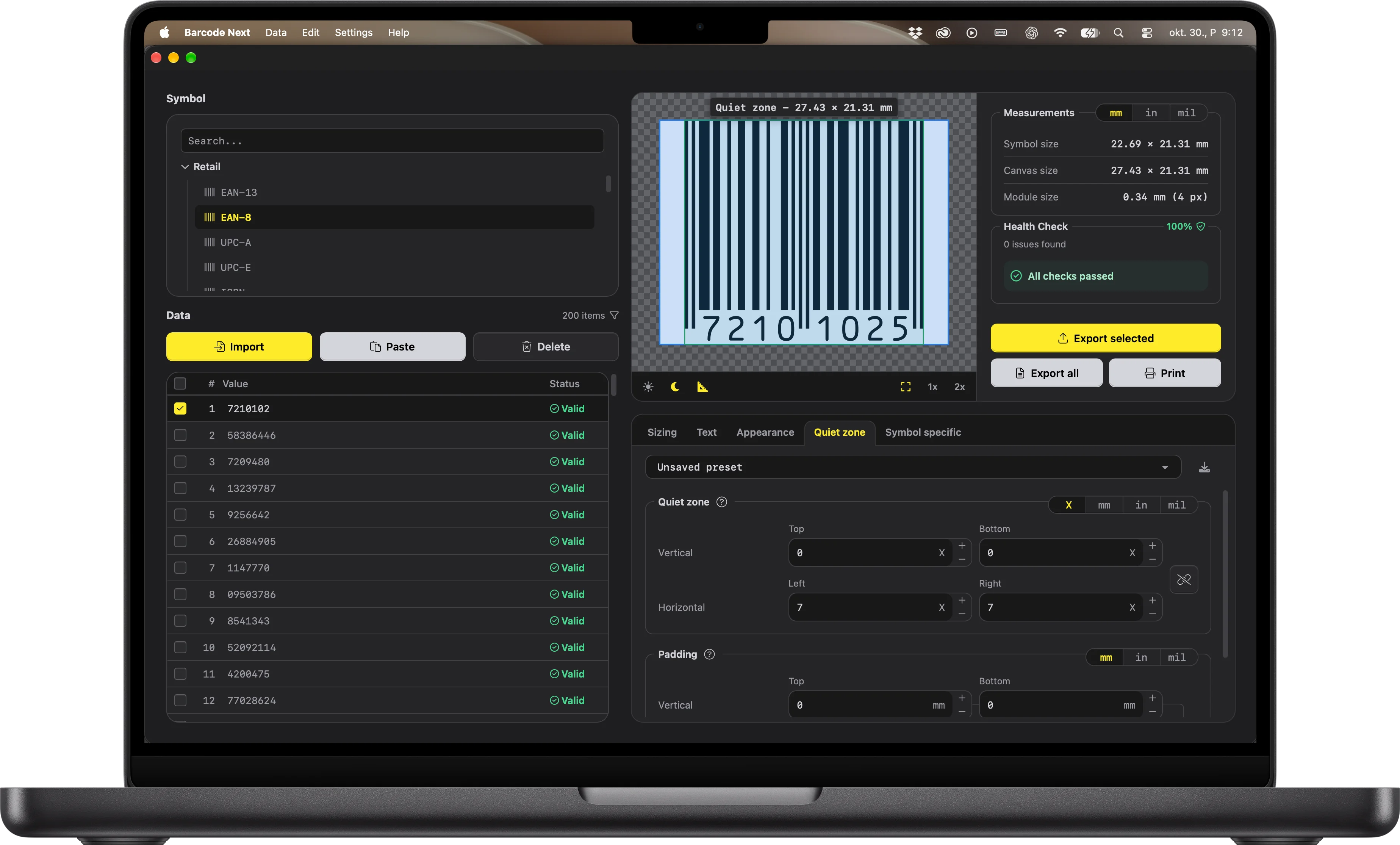
EAN-8 in Barcode Next
Smaller packs, different identifier
EAN-8 is not an arbitrary shortened EAN-13. It carries a separate GTIN-8, issued under applicable GS1 allocation rules.
The shorter bar pattern may suit small packages, but minimum physical sizes and quiet zones still apply. Reducing a graphic until it fits does not guarantee reliable point-of-sale scanning.
Like EAN-13, it includes left, centre and right guard bars and human-readable interpretation underneath.

Batch generation
Import CSV or XLSX data, validate individual records and generate multiple barcodes in one workflow.

Vector and raster export
Export scalable SVG, PDF or EPS files and high-resolution PNG, JPEG or TIFF images for production.

Label printing
Arrange barcodes on label sheets using presets or custom paper sizes, margins and grid layouts.
Available options depend on the selected symbology. The screenshot illustrates shared application controls, not a verified scan result for EAN-8.
Common issues and print considerations
Truncating an EAN-13 number
Removing five digits from a GTIN-13 does not produce a valid GTIN-8 allocation.
Insufficient side clearance
EAN-8 requires a clear 7X quiet zone on both sides of its encoded bar pattern.
Technical basis: GS1 General Specifications, release 26.0 (2026). Application and print specifications can impose additional requirements.
EAN-8 questions
Is EAN-8 just a smaller EAN-13?
No. EAN-8 uses a different 67-module symbol and a GTIN-8 identifier rather than an abbreviated GTIN-13.
Can an EAN-8 barcode use letters?
No. The complete encoded value is eight numeric digits, including its check digit.
Create EAN-8 with Barcode Next
Work with format-specific data rules, precise dimensions, validation and clear previews in a professional barcode editor for Mac and Windows.
Explore all features or compare the Mac and Windows editions.
Get started with Barcode Next
Download for free
Explore barcode formats, customize QR codes, prepare batches and preview label layouts.
Download